




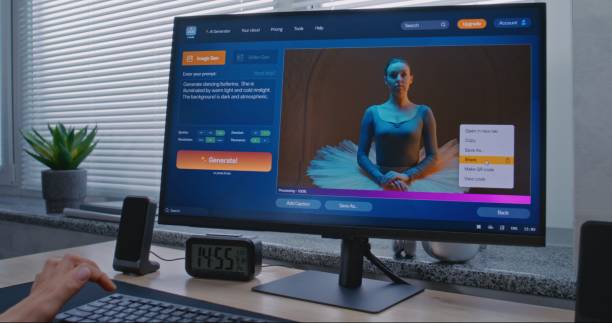



How to Use Vidqu for YouTube Videos (Beginner to Pro Guide)
Introduction
Creating high quality YouTube videos requires expensive software, editing skills, and hours of work. But things have changed.
With AI tools like Vidqu, anyone can turn simple ideas into engaging videos in minutes. Whether you’re starting a YouTube channel, building a faceless brand, or creating content for clients, Vidqu makes the entire process simple.
In this guide, you’ll learn how to use Vidqu for YouTube videos, from beginner basics to advanced strategies. By the end, you’ll be able to create professional videos—even if you have zero editing experience.
What is Vidqu?
Vidqu is an AI-powered online video maker that turns text, scripts or ideas into ready-to-publish videos.
It combines:
- AI script generation
- voiceover
- stock footage
- automatic editing
This makes it ideal for:
- youtubers
- bloggers
- Freelancer
- digital marketer
In short, Vidqu helps you save time, reduce effort, and enhance content creation.
Why Use Vidqu for YouTube videos?
Before diving into the steps, let’s understand why Vidqu is gaining popularity.
Main Benefits:
- No video editing skills required
- Fast video creation (minutes, not hours)
- AI-generated voiceover
- Access to stock footage and visuals
- Perfect for faceless YouTube channels
Real life example:
Imagine you run an inspiration channel. Instead of recording yourself, you can:
- write a script
- paste this into Vidqu
- Generate voiceover + video
- upload to youtube
This workflow can save 5-10 hours per video.
Step-by-Step: How to Use Vidqu for YouTube Videos
Step 1: Create Your Vidqu Account
Start by signing up on the Vidqu platform.
Once inside, explore the dashboard:
- Video templates
- Script tools
- Media library
Tip: Choose a template based on your niche (education, business, storytelling).
Step 2: Write or Generate a Script
Every great YouTube video starts with a script.
With Vidqu, you can:
- Paste your own script
- Or generate one using AI
Example Script Idea:
Topic: “Top 5 Passive Income Ideas”
Structure:
- Hook (first 5 seconds)
- Main points
- Call to action
Keep sentences short and engaging for better retention.
Step 3: Convert Text into Video
This is where Vidqu shines.
Paste your script and let the AI:
- Break it into scenes
- Match visuals automatically
- Add transitions
What Happens Automatically:
- Scene creation
- Background visuals
- Text overlays
This step turns your idea into a ready-to-edit video draft.
Step 4: Add AI Voiceover
Vidqu allows you to add realistic voiceovers in seconds.
Options:
- Male or female voices
- Different accents
- Natural AI tones
Pro Tip: Choose a voice that matches your niche:
- Professional → Business content
- Energetic → Entertainment videos
Step 5: Customize Your Video
Now refine your content.
You can:
- Change visuals
- Adjust timing
- Add subtitles
- Insert background music
Important Tips:
- Keep clips short (3–5 seconds)
- Use captions for engagement
- Match visuals with script meaning
Step 6: Export and Upload to YouTube
Once your video is ready:
- Export in HD quality
- Upload to YouTube
Optimize for SEO:
- Add keyword in title (Vidqu-related)
- Write a strong description
- Use tags and thumbnails
Advanced Tips: From Beginner to Pro
Once you understand the basics, apply these strategies to grow faster.
1. Focus on High-Retention Content
- Hook viewers in first 5 seconds
- Avoid long intros
- Keep content fast-paced
2. Use Vidqu for Faceless Channels
Vidqu is perfect for:
- Finance channels
- Tech reviews
- Motivation videos
These niches perform well without showing your face.
3. Batch Content Creation
Instead of making one video:
- Create 5–10 videos in one session
- Schedule uploads
This improves consistency and growth.
4. Combine Vidqu with SEO Strategy
To rank videos:
- Target long-tail keywords
- Add subtitles
- Use engaging thumbnails
Example keyword:
- “how to use vidqu for youtube videos”
5. Repurpose Content
Turn one video into:
- Shorts
- Instagram reels
- TikTok clips
This multiplies your reach without extra effort.
Common Mistakes to Avoid
Even with a powerful tool like Vidqu, beginners make mistakes.
Avoid These:
- Using long boring scripts
- Ignoring video pacing
- Poor voice selection
- No SEO optimization
- Uploading without thumbnails
Fixing these can instantly improve performance.
Best Use Cases of Vidqu
Vidqu works well across multiple niches.
Popular Niches:
- YouTube automation
- Educational content
- Product reviews
- Storytelling videos
- Business and marketing
Example:
A freelancer can use Vidqu to:
- Create client videos
- Sell video services on Fiverr
- Build passive income streams
FAQs About Vidqu
1. Is Vidqu good for beginners?
Yes, Vidqu is beginner-friendly and requires no editing experience. The AI handles most of the work.
2. Can I monetize YouTube videos made with Vidqu?
Yes, as long as your content is original and follows YouTube monetization policies.
3. Does Vidqu provide copyright-free media?
Most AI video tools, including Vidqu, offer stock footage and music. Always review licensing terms.
4. How long does it take to create a video with Vidqu?
Typically, 5–15 minutes depending on customization.
5. Is Vidqu better than traditional video editing?
For speed and ease—yes. For advanced editing—traditional tools may offer more control.
Conclusion
Vidqu is changing the way YouTube creates content. Work that used to take hours can now be done in minutes.
Whether you’re a beginner or an experienced creator, learning how to use Vidqu for YouTube videos can give you serious benefits. This allows you to:
- create content fast
- Scale your channel
- Focus on strategy rather than editing
The key is simple: start small, be consistent, and improve with each video.
If used correctly, Vidqu can become your most powerful tool for growing a successful YouTube channel.